
Globe SIM Registration Online – Complete 2025 Guide
Nowadays, everyone needs to register their SIM card to prevent crimes. To address this issue, the SIM Card Registration Act of the Philippines (Republic Act 11934) was enacted. According to this act, Globe SIM registration and verification are mandatory to rescue yourself from fraud and maintain uninterrupted access to Globe’s mobile services. How can you easily register your Globe SIM card?
Globe SIM registration online makes it easier to secure your mobile network from the comfort of your home without hassle. The process of registering your personal SIM card is simple. Follow along as we walk you through the whole process. Let’s get started!

Things You Require Before Globe Sim Registration
With 54.7 million subscribers, Globe Telecom registration is the second-largest provider in the Philippines, and like all other communication services companies, it also follows the SIM Registration Act. According to the law, every Globe user must register their SIM card, whether it is new or old, to ensure safety and facilitate phone communication.
Globe registration is crucial not only for complying with government regulations. But also for extending security, preventing scams, and ensuring smooth network services. Now, let’s discuss all the documents needed to register a Globe SIM in 2025.
How to Register a SIM for Foreign Nationals and Business Entities
Both foreign nationals and business entities are required to provide specific documentation for Globe SIM card registration.
Step-by-step process of the online Globe SIM registration link
Open a new browser in Chrome and write “new.globe.com.ph/simreg“
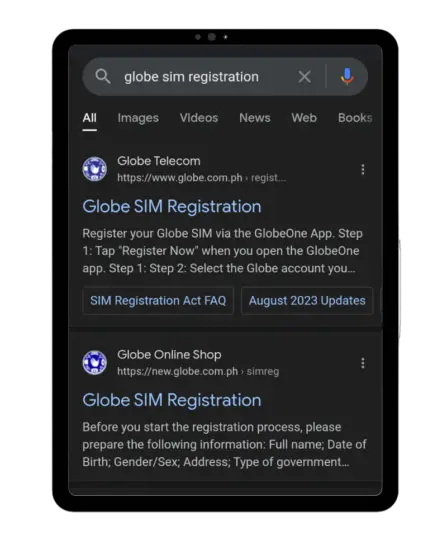
The Globe SIM registration portal will open in front of you.
Enter your 10-digit Globe SIM number and click the register button.
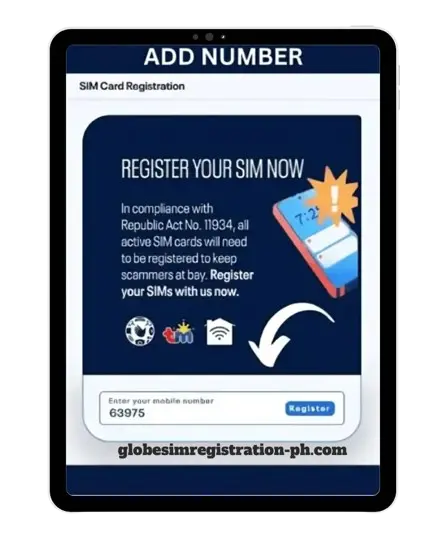
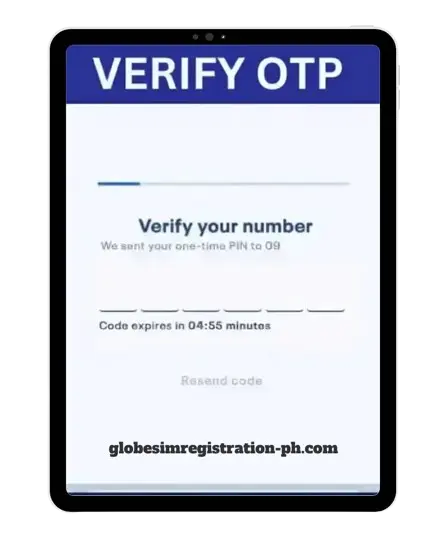
You will receive a one-time OPT code on your number after clicking register.
Please copy the code and enter it in the verification field.
click on the Next button.
Here, an online registration form will open in front of you.
Carefully fill in your details. If you’re unsure about entering your birthdate, ask for help from someone experienced.
These are the data you need to fill out the registration form: first and last name, phone number, suffix, ID number, nationality, registration type, email address, zip code, and your present address.
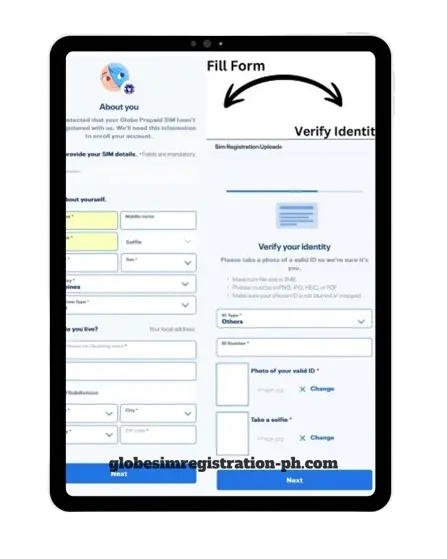

Now choose ID Type and ID Number and press the “Attach” button.
Upload a clear photo or selfie with clear pixels, and the photo size should be a minimum of 2 MB.
Click on the submit button.
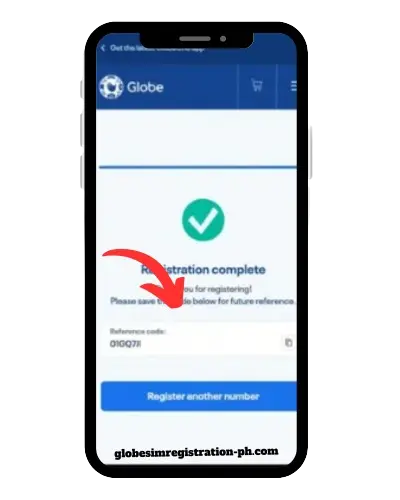
Congratulations! Your Globe SIM is successfully registered, and the reference number will be shown to you on your screen. Save that number.
Now you can easily get Globelines internet plans.
Globe sim registration verification
1.
Through SM
Open the message section on your phone and create a new message. Write “SIMREG,” and send it to “8080.” You will receive the confirmation SMS.
2.
Through Dial
Click on the dial screen and dial (*143#). A menu will appear with different options. Choose the SIM registration or verification option. Fill out the required data, and you will receive a confirmation SMS afterwards.
Globe One App SIM Registration—Step-by-Step Guide in 2025
First, download the Globe One app from the Play Store to your mobile phone.
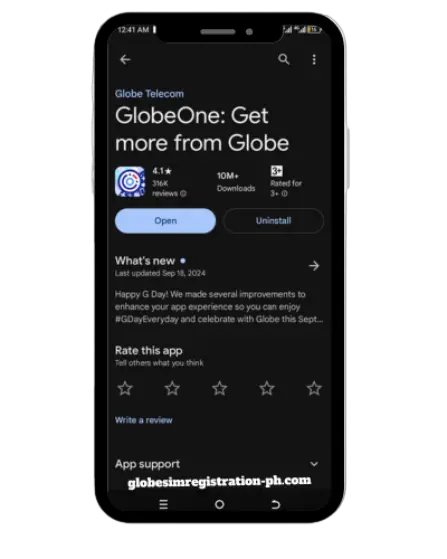

Open the app and press Register Your SIM.
To register your SIM online, write your phone number.

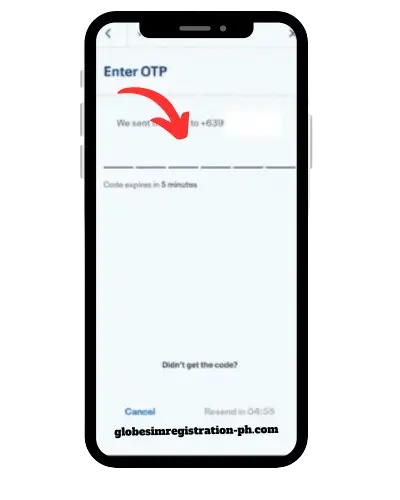
You will now receive your verification OTP code on your mobile number.
Please copy the code and type it with the selected pitch to verify your mobile number.
Now, click on ‘Let’s Start’ and fill out your personal information according to the requirements, such as name, gender, birthday, nationality, and suffix.
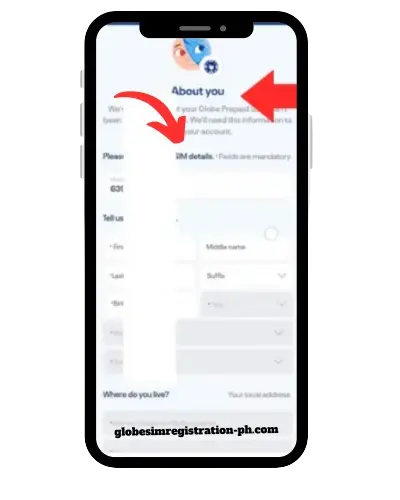
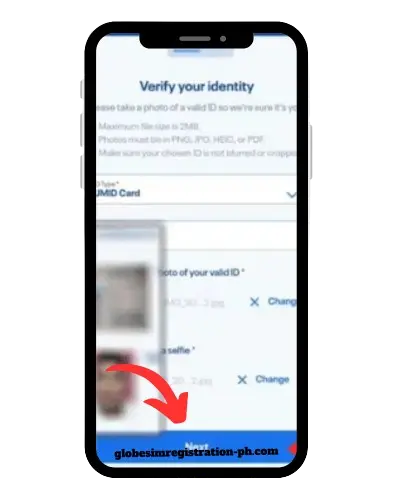
Now, verify your identity with your ID card number and upload a front-facing selfie.
Press the terms and conditions box and click on the submit button.
Your Globe SIM is securely registered, and a reference code will display in front of you. Save it.
Now you can use Fast Globe Wireless Internet.
How To Register A Globe SIM Via A Store Or Retailer
- Visit the physical retailer shop or Globe store near you.
- Please tell him that I would like to register a Globe SIM card.
- Please provide your complete information to him, including your name, address, gender, SIM number, valid ID card, and a clear photo.
- The store representative will register SIM Card Globe, and you’ll receive a confirmation SMS shortly.
SIM Registration for GCash Users
GCash users can directly register their Globe SIM with their GCash account by verifying their account. After verification, you can continue your financial transactions and access your digital wallet. Without registration, you may lose access to your GCash service, like sending money or paying bills.
Furthermore, registering the Globe SIM will also provide security for the bank account, online shopping, and protection against theft and fraud. And now you can also use Globe phone plans and make a connection to anyone.
How to Change Globe SIM Details Online
- First, go to the official website of Globe SIM (new.globe.com.ph/simreg).
- Press “View or edit your details” and enter your 11-digit mobile number in the box.
- Now, navigate to the “Update Information” section and edit your data, including your name, ID, address, and any other details you wish to change.
- Press the submit button to confirm all the changes.
- You will now receive an OTP code on your registered number.
- Please copy the code and enter it; your details are now updated.
How to check the balance in the Globe SIM
Follow the steps below to check the balance in your Globe SIM.
- Go to the dial screen of your mobile and dial (*143#).
- Select the “My Account” option.
- After that, tap on “Balance Inquiry.”
- Select Check my remaining load and balance. This will display your balance and other offers for you.
Globe at Home Prepaid WIFI Registration
- Purchase your Globe At Home Prepaid WiFi kit from the Globe online store or any other authorised retailer.
- Obey the instructions to set up the modem and plug it in.
- Now, download the Globe One app from the Play Store to set up your WiFi account.
- Enter your WiFi phone number and tap “Register your SIM now.”
- Please fill out your personal details, including name, date of birth, gender, address, and nationality.
- Please upload a photo and a valid ID.
- Agree to the terms and click “Submit.”
- You will receive a one-time OTP (One-Time Password) code.
- Enter that OTP code.
- Now you see a reference number; copy it.
- After verification, you will get a confirmation message.
- And now, these users can get “Globe data unli” like apps, as well as 5G internat.
Globe Postpaid and Platinum SIM registration
It’s an easy and simple process type (SIMREG). Send this code to “8080” to get a notification about your postpaid and platinum SIM verification.
How to activate a Globe SIM?
Activating the Globe SIM is easy: dial “*143#” on your mobile device. After that, follow the instructions on the screen, and then you will receive a Globe SIM activation message on your phone.
Globe SIM Registration Deadline
If you want to register your newly bought Globe SIM, then you can register it without any problem if you had an old Globe SIM before the act; otherwise, it’s difficult for the customer, as the Globe registration deadline has been extended to “July 15, 2023.”
What Happens to Unregistered SIM Cards?
Under the SIM Registration Act of the Philippines, possessing an unregistered SIM card may result in severe consequences. Let’s take a look at them.
- An unregistered SIM card is unable to make calls or send messages.
- An unregistered SIM will permanently lose all saved numbers.
- Your personal information can be easily accessed through an unregistered SIM card.
- You will be able to receive calls and texts.
Common Globe SIM card registration issue
- Invalid or expired national ID card.
- Wrong data on the registration form.
- Differences between the submitted details and the ID details.
- System errors
- Incomplete required documents.
- Exceeding the maximum SIM registration limit.
- Weak internet connection
- If you don’t receive the OTP, don’t worry. Wait for a while.
Importance Of Globe SIM card Registration
These are two essential aspects of Globe SIM registration.
1. Security and Protection
SIM registration connects your SIM card to your verified identity, preventing scams, identity theft, and illegal activities.
2. Legal Compliance
Registering your Globe SIM ensures compliance with regulations, preventing fraud and enhancing safety by making users traceable.
How can I check the status of my Globe SIM card registration?
There are three methods to check whether your Globe SIM card is registered or not. Let’s discuss them one by one.
GlobeOne app
- Open the GlobeOne app.
- Go to the globe number option.
- Check the status to see if your number is registered.
By the New Globe ph SIM registration online login
- Visit the Globe SIM registration website.
- Enter your 11-digit phone number.
- If your SIM card is registered, you will receive an SMS: “Whoops! Your SIM has been previously registered.”
By the Globe physical store
Visit the Globe Physical store near you and provide the necessary information, including your name, address, ID, and other relevant details. The person will check your registration status.
How to Shift to Globe Network
If you are using other SIMs, such as TNT, Smart, Dito, or TM, and want to switch to Globe. Follow the given steps to complete the task successfully.
- Go to https://new.globe.com.ph/port-number
- Click on the “switch to globe” button.
- Please provide your complete details, as required by them.
- Your SIM number will be activated as a Globe Telecom service within 2 days.
- And you will get a call.
Conclusion
Now it is time to wrap up our discussion. In this article, we explain all the methods of Globe SIM online registration. We also discuss all the requirements you need to register a SIM card with Globe. In short, we cover every point of the Globe Sim. Please read the complete blog. If you have any issues, please don’t hesitate to ask me in the comments section.